How to Choose an LED Display for Rental and Events?

Time:2026-09-16 Author:Sophia
0%

How to choose LED display for rental and events is rarely a simple brightness comparison. A successful choice begins with the venue, audience, content, and schedule. Outdoor festivals may need high brightness, weather protection, and strong wind resistance. Indoor conferences often need quieter cabinets and finer pixel pitch. A screen that looks impressive in a showroom may feel excessive in a ballroom.

Veteran event-technology consultant Paul McGowan offers a practical reminder: “Choose the display for the audience, not only for the specification sheet.” This principle keeps planning grounded in real experience. Measure the viewing distance before selecting pixel pitch. Check cabinet weight before confirming the rigging plan. Test signal processing, refresh rate, and camera compatibility before opening day. Small details matter. A visible scan line can distract a broadcast audience. A weak connector can delay an entire show.

Rental projects also demand fast assembly, front and rear service access, spare modules, and dependable technical support. Ask how quickly replacement panels can arrive. Ask whether technicians understand your venue. Ask what happens when rain begins unexpectedly. The cheapest rental package may become expensive after transport, labor, and emergency repairs.

There is no perfect display for every event. Sometimes, planners choose excessive resolution when guests stand far away. Sometimes, they underestimate brightness near glass walls. I have also seen schedules leave too little time for calibration. That is a planning mistake worth admitting. Careful site inspection, realistic content testing, and honest supplier communication create a safer decision. The best LED display is not merely vivid. It is reliable, practical, and suitable for the people who must install, operate, and watch it.
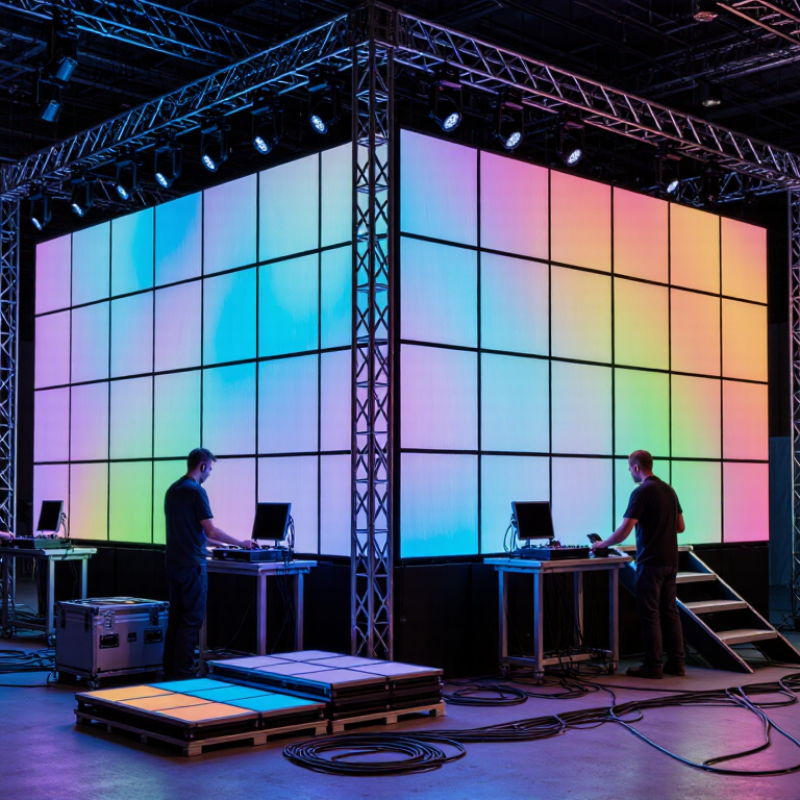
How to Choose an LED Display for Rental and Events?

Define the Event’s Space, Audience, and Display Requirements

How to Choose an LED Display for Rental and Events?

Define the Event’s Space, Audience, and Display Requirements

Begin with the venue, not the screen. Measure the wall, stage, ceiling height, and audience distance. Note entrances, pillars, sunlight, and possible rain exposure. A screen that fits the stage may block sightlines or emergency access. Measure twice. Details matter.

For a small indoor seminar, viewers may sit within eight meters. A finer pixel pitch can preserve clear text and speaker details. At a festival, people may stand thirty meters away. A larger, brighter display may communicate better there. Check ambient light at the actual event time, because afternoon glare can change the viewing experience. I once underestimated sunlight near a glass entrance, and the image looked dull during rehearsal. That mistake changed my planning habits.

Audience behavior also shapes the specification. A seated audience needs readable slides and restrained brightness. A moving crowd needs bold visuals, strong contrast, and dependable playback. Ask how content will be produced, who will operate it, and how quickly scenes must change. Confirm refresh performance when cameras will record the stage. Inspect power distribution, rigging points, weather protection, and setup access with the venue team. Rental schedules are often tight, so serviceability matters as much as image quality. A quick estimate can be wrong. Leave space for cables, airflow, and last-minute adjustments.

Compare LED Display Types, Pixel Pitch, and Viewing Distance

How to Choose an LED Display for Rental and Events?

Choosing an LED display starts with the venue, not the screen size. Indoor panels usually need lower brightness and finer pixel pitch. Outdoor events require stronger brightness, weather protection, and stable operation under changing light. Rental cabinets should be lightweight, quick to lock, and easy to service. Rear access helps technicians, but front access can save time in crowded venues. Small details matter.

Pixel pitch affects image sharpness and viewing distance. A 2.6 mm display can suit audiences sitting roughly 2.6 meters away, using a common planning rule. This is only a guide. Camera tests and on-site viewing are more reliable. Fine-pitch screens show text clearly at close range, while larger pitches can work well for distant viewers. Do not choose the smallest pitch automatically. It may increase cost without improving the audience experience.

Viewing distance also affects screen type. For a conference room, fine-pitch indoor LED can keep presentation text readable. For a festival stage, a brighter outdoor display with a wider viewing angle may be more practical. Check refresh rate when cameras will record the screen. Low performance can create scan lines or flicker. I have seen teams focus on resolution and overlook rigging limits, power distribution, and spare modules. That mistake can delay an entire setup. Test the screen from the back row, side seats, and camera position before approval.

How to Choose an LED Display for Rental and Events?

Pixel pitch strongly influences viewing distance: a smaller pixel pitch is suitable for closer audiences, while a larger pitch is generally more practical for long-distance outdoor viewing. These are typical planning values; venue lighting, content, camera use, and installation height should also be considered.

Planning guideline: Minimum viewing distance is approximately 1 meter for every 1 millimeter of pixel pitch. A comfortable viewing distance is commonly estimated at two to three times the pixel pitch in meters.

Evaluate Brightness, Image Quality, and Outdoor Performance

Choosing an LED display for rental events requires more than checking pixel pitch. Brightness must match the venue. Indoor halls usually need about 800–1,500 nits, while daylight applications often require 5,000 nits or more. These ranges are industry practice, not universal rules. The 2024 AVIXA Industry Outlook and Trends Analysis identifies live events as a continuing professional AV market, increasing pressure for reliable, fast-deployable systems. Meanwhile, the U.S. Department of Energy’s 2022 SSL R&D Opportunities report records laboratory LED efficacy above 200 lumens per watt. Higher efficiency can reduce heat, but it does not guarantee better images.

Image quality depends on contrast, refresh rate, grayscale, and viewing distance. A 2.6 mm pixel pitch may look sharp from the front row, yet a wider pitch can work outdoors. For camera-heavy events, select a refresh rate of at least 3,840 Hz and test it with the actual camera settings. Outdoor performance also depends on weather protection, stable brightness control, and strong heat dissipation. An IP65-rated front enclosure is a practical benchmark for exposed installations, but seals can weaken after repeated transport. That detail is easy to overlook.

Tips: Measure brightness at the audience position, not only on a specification sheet. Request a gray-scale test, a fast-motion clip, and a camera test. Leave headroom for sunlight. A display that looks perfect in a warehouse may appear dull at noon.

How to Choose an LED Display for Rental and Events? - Evaluate Brightness, Image Quality, and Outdoor Performance

Evaluation Dimension Recommended Range or Specification Best-Fit Rental or Event Scenario Why It Matters
Brightness 800–1,200 nits for indoor venues; 3,000–5,000 nits for shaded outdoor areas; 5,000–7,000 nits for direct sunlight Theater stages, conference halls, covered festivals, outdoor concerts, and daytime sports events Higher brightness improves visibility in ambient light, but excessive brightness indoors can cause glare and reduce viewing comfort.
Pixel Pitch P1.9–P2.6 for close viewing; P2.9–P3.9 for general event use; P4.8 or larger for long-distance viewing Close-up presentations, stage backdrops, exhibition booths, large venues, and outdoor viewing zones A smaller pixel pitch provides finer detail, while a larger pitch can reduce cost and weight when viewers are farther away.
Minimum Viewing Distance Approximately 2–4 m for P1.9; 3–6 m for P2.6; 4–10 m for P3.9; 5–15 m for P4.8 Selecting a screen based on the expected audience position Viewers seated closer than the recommended distance may notice individual pixels or reduced image smoothness.
Refresh Rate At least 1,920 Hz for standard video; 3,840 Hz or higher for professional camera capture Live broadcasts, streamed events, televised concerts, product launches, and camera-heavy productions A higher refresh rate helps minimize flicker, scan lines, and black bands recorded by cameras.
Color and Image Quality 14–16-bit grayscale processing; color temperature adjustment; consistent module calibration Brand presentations, stage graphics, high-resolution video, and close-range viewing Higher grayscale capability supports smoother gradients and more natural shadow detail, particularly at low brightness.
Contrast and Black Level A high contrast design with independent brightness control and suitable low-brightness performance Indoor stages, evening events, cinematic content, and dark-background graphics Good contrast makes text, faces, and graphics appear clearer without requiring excessive brightness.
Outdoor Protection At least IP65 on the front; sealed cabinets and protected connectors for exposed installations Outdoor concerts, festivals, sports events, public gatherings, and temporary installations An IP65 front rating indicates protection against dust and water jets, but it does not mean the display can be submerged.
Viewing Angle Typically 140° or wider horizontal viewing angle; verify vertical viewing performance for elevated stages Wide audience layouts, side-view seating, shopping centers, and public squares A wide viewing angle helps maintain brightness and color consistency across the audience area.
Cabinet Weight Approximately 8–15 kg/m² for lightweight rental designs; confirm the exact cabinet construction Frequent touring, truss-mounted screens, quick setup, and venues with load restrictions Lower weight reduces transportation, rigging, and labor requirements, but structural safety must still be verified.
Power Consumption Typical average consumption: about 200–450 W/m²; maximum consumption may be higher Long-duration events, temporary power systems, mobile stages, and venues with limited electrical capacity Power planning should use the manufacturer’s maximum rating, circuit capacity, cable length, and ambient temperature.
Operating Temperature Common rated range: approximately −20°C to 50°C; confirm derating requirements in hot weather Winter events, summer festivals, outdoor sports, and installations in variable climates Temperature limits affect reliability, brightness stability, ventilation, and power-supply performance.
Rental-Friendly Design Front and rear service access, tool-less locks, fast alignment, modular spare parts, and corner protection Touring productions, multi-city events, and frequent assembly and dismantling Serviceable and mechanically durable cabinets shorten setup time and reduce downtime between events.
Safety and Installation Certified lifting points, secure locking systems, appropriate rigging hardware, grounding, and documented load limits Suspended screens, stacked walls, temporary stages, and high-traffic public areas Safe installation requires structural assessment, qualified technicians, weather planning, and compliance with local regulations.

Note: The specifications above are practical selection guidelines based on common LED rental-display configurations. Actual performance varies by LED package, cabinet design, calibration, content, environment, and installation method. Always verify tested specifications and safety documentation before rental or deployment.

Check Rental Setup, Rigging, Transport, and Technical Support

How to Choose an LED Display for Rental and Events?

A rental LED display must fit the event, not just the venue. Measure the stage, viewing distance, ceiling height, and available power before selecting panels. During site visits, I check door widths, loading paths, floor strength, and weather exposure. These details often decide whether installation runs smoothly. A bright screen may look impressive, but excessive brightness can distract guests and waste power.

Rigging requires accurate weight calculations and certified lifting equipment. Confirm the display’s total load, hanging points, wind limits, and backup safety measures with qualified technicians. Ground-supported structures need stable bases and clear access for audiences. Transport also deserves careful planning. Use protective cases, secure every panel, and label cables by location. One damaged connector can delay an entire setup.

Technical support should be available before, during, and after the event. Ask whether technicians can review signal flow, spare parts, testing procedures, and emergency response times. A useful support team explains problems clearly instead of hiding behind technical language. I have learned that rehearsals reveal more than specifications. A screen may pass a factory test but fail under heat, vibration, or tight schedules. Leave time for calibration and last-minute changes. Plans are never perfect. Reflect after every event, record failures, and improve the next rental checklist.

Review Safety, Reliability, Pricing, and Rental Agreement Terms

How to Choose an LED Display for Rental and Events?

A rental LED display must survive transport, repeated assembly, and crowded venues. Safety starts with documented electrical, thermal, and structural testing. Ask for compliance evidence under IEC 62368-1 and local electrical requirements. For outdoor events, verify the stated IP rating for both front and rear surfaces. A bright screen is not automatically a safe screen. Check power distribution, grounding, cable protection, emergency access, and certified rigging points. AVIXA’s 2024 Industry Outlook and Trends Analysis valued the professional audiovisual market at about 325 billion dollars in 2024. That scale increases supplier choice, but it also makes verification harder. I have learned that impressive demonstrations can hide weak documentation.

Tips: Request a live test before delivery. Inspect spare modules, receiving cards, locks, and flight cases. Ask for measured brightness, refresh rate, viewing distance, and power consumption. Keep these figures in writing. Pricing should include delivery, technicians, setup, dismantling, taxes, overtime, and standby support. A low daily rate may become expensive after one missing service fee.

Read the rental agreement carefully. Define acceptable pixel failure, color uniformity, weather limits, wind thresholds, replacement timing, and responsibility for venue damage. Confirm cancellation terms and insurance requirements. The agreement should state who controls power and rigging decisions. It should also explain what happens during delays or equipment failure. Event Safety Alliance guidance emphasizes documented planning and competent technical supervision for temporary event structures. Do not accept vague promises. I sometimes overvalue a lower quote; reliability deserves a separate line in the budget.

FAQS

How should I measure the event space before renting an LED display?

Measure the wall, stage, ceiling height, and audience distance. Note entrances, pillars, sunlight, rain exposure, and emergency access. Leave room for cables and airflow. Measure twice.

What display suits a small indoor seminar?

Viewers may sit within eight meters. Choose a finer pixel pitch for readable slides and speaker details. Keep brightness controlled for seated audiences. Too much brightness can feel harsh.

What display works better for outdoor festivals?

Crowds may stand thirty meters away. A larger, brighter display can improve visibility. Measure brightness at the audience position, not only from specifications. Noon sunlight can change everything.

How important is pixel pitch for image quality?

Pixel pitch should match viewing distance.

What specifications matter when cameras record the stage?

Select a refresh rate of at least 3,840 hertz. Test the display with the actual camera settings. Check contrast, grayscale, motion handling, and viewing distance. A warehouse test may mislead you.

What outdoor protection should I check?

Verify weather protection for both front and rear surfaces. An IP65-rated front enclosure is a practical benchmark for exposed installations. Inspect seals after repeated transport. They can weaken quietly.

How can I check rental safety and reliability?

Request electrical, thermal, and structural compliance evidence. Check grounding, cable protection, power distribution, and certified rigging points. Inspect spare modules, receiving cards, locks, and transport cases. Bright does not mean safe.

Which costs and contract terms require careful review?

Confirm delivery, technicians, setup, dismantling, taxes, overtime, and standby support. Define pixel failure, color uniformity, weather limits, wind thresholds, and replacement timing. Clarify cancellation terms, insurance, power control, and rigging responsibility. A low quote may grow.

Conclusion

How to choose LED display for rental and events begins with understanding the event space, audience size, viewing distance, and content requirements. Consider whether the display will be used indoors or outdoors, how much screen area is needed, and what pixel pitch will provide clear images for the expected audience. Different LED display types may suit stages, exhibitions, conferences, concerts, or temporary outdoor installations. Brightness, contrast, refresh rate, color accuracy, and weather resistance should also be evaluated to ensure reliable performance in changing conditions.

A successful rental experience also depends on practical support. Confirm the setup method, rigging requirements, transport arrangements, installation schedule, power needs, and availability of onsite technical assistance. Before signing, review safety procedures, equipment reliability, replacement policies, insurance responsibilities, payment terms, overtime charges, and cancellation conditions. Comparing the total rental value rather than focusing only on the initial price can help ensure a secure, efficient, and high-quality event display solution.

Sophia

Sophia

Sophia is a dedicated marketing professional with an exceptional depth of knowledge about her company's products and services. With a keen understanding of market trends and customer needs, she crafts insightful blog posts that not only inform but also engage readers, enriching the company’s online......